The Iress Connect Portal now incorporates a reporting function in the requests page for tickets raised in the “Service Desk - Issues” tile

The Advanced Request Report option is available from the requests page or by the menu item on your Avtar on the top right-hand corner of the portal
Advanced Portal Reports will allow you to
- Design reports and then export their Service Desk tickets
- Run a graphical report (Created vs Resolved line chart) showing the relation between created and resolved tickets over a given period to be run
- Design views allow you to create customm views on the reports screen based upon available projects, open or closed requests and types as well as by reporting entities
Configuring and saving a new view for Export
- Open up your request screen
- Click on the “Advanced Requests Report” option
- Click on the manage columns option and use the selector to filter to yor desired options
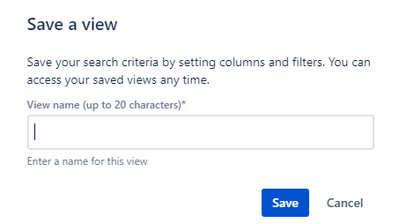
- Click on the “Saved Views” button on the left hand top corner and then select “Save new view”. You will then see a dialog enabling you to name the search criteria. You can retrieve previous Saved views by toggling on the option. In this action you can also delete a view
- To print the desired Saved View just click on the Export button
What’s next
In the near future we will be adding further request types to the reporting options as well as the ability to a a set of pre-specified fields to the report view filters not previously available.
