Overview
We are pleased to announce a number of enhancements to our Term service all designed to provide greater product clarity and price certainty
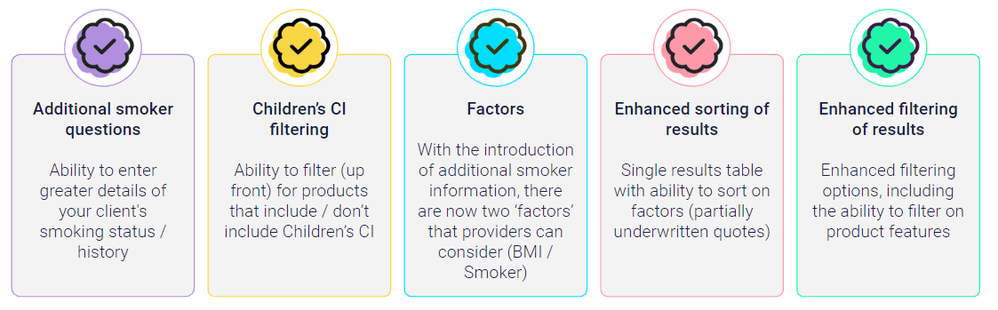
Let us introduce you
We have made a number of enhancements to out Term services (Personal & Business) on The Exchange, all designed to give advisers greater flexibility when quoting, reviewing and filtering the product options returned.
These have changes have also been applied to our Income Protection service.
We will be upgrading our Multi-benefit, Multi-policy and Whole of Life services shortly to support the same enhancements, however for now, these enhancements are limited to the Term and Income Protection services.
 Additional smoker questions
Ability to enter greater details of your client's smoking status / history
- With the introduction of the additional smoker questions, a provider has the opportunity to return a quote inline with their specific smoker strategy (current smoker, ex-smoker, never smoked)
- We currently have five providers taking all smoker information into consideration (Aviva, Royal London, Zurich, Legal & General and Vitality) who will quote accordingly, with more providers joining the service shortly
- Other providers will continue to only consider the yes / no answer to the current smoker question, and where you answer no to the question they will continue to respond as they do today (with non-smoker quotes), without considering the additional information entered. Please view the product smoker notes and provider illustration to confirm how they have responded.
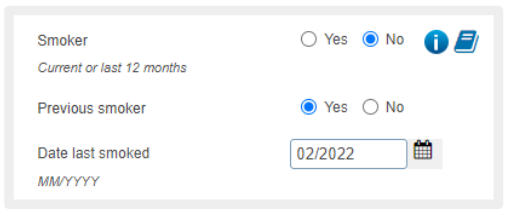
Additional smoker questions
- To understand how each provider categorises smokers, and how they respond if they only consider yes / no, select the book icon to bring up smoker notes and select the individual provider.
- It is the providers responsibility to keep these notes up to date. Iress display the date the provider last updated these notes.
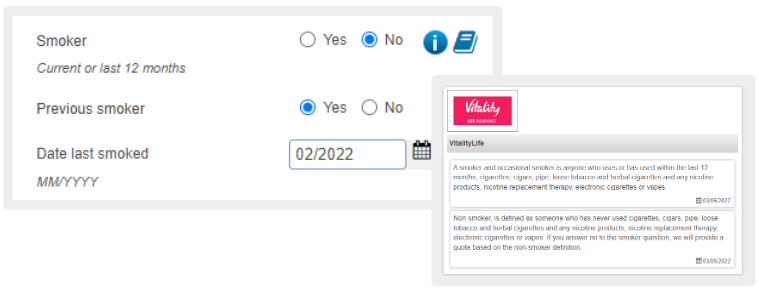
Smoker notes
Children's Critical Illness benefit
Ability to select (up front) if you want products that include Children's CI benefit
- You can select to filter products or select both options to return all products (don’t worry you can still filter the results)

Children's CI cover filter
Single table
Within The Exchange, we already support the concept of displaying products which have taken extra factors information into consideration first (BMI)
As we introduce our second factor (smoker), we have enhanced the results screen to make it easier for the adviser to quickly sort, filter and view the right products for their clients
- We will be returning to a single table (with the ability to show more products on the screen)
-
Products that take more factor information into consideration displayed first by default (as they would have been if we had kept two tables)
- Subsequent sort ordering rules will remain as they do today (Premium, Life Benefit Amount, CI Benefit Amount, etc.)
-
The ability to reorder the results on each column that is underlined will remain, and users will be able to change the order the results are displayed (this includes ordering by premium)
- We have also now included the ability save the results screen default display order (to be either Factors or Premium) via the new Results preferences button (bottom bar)
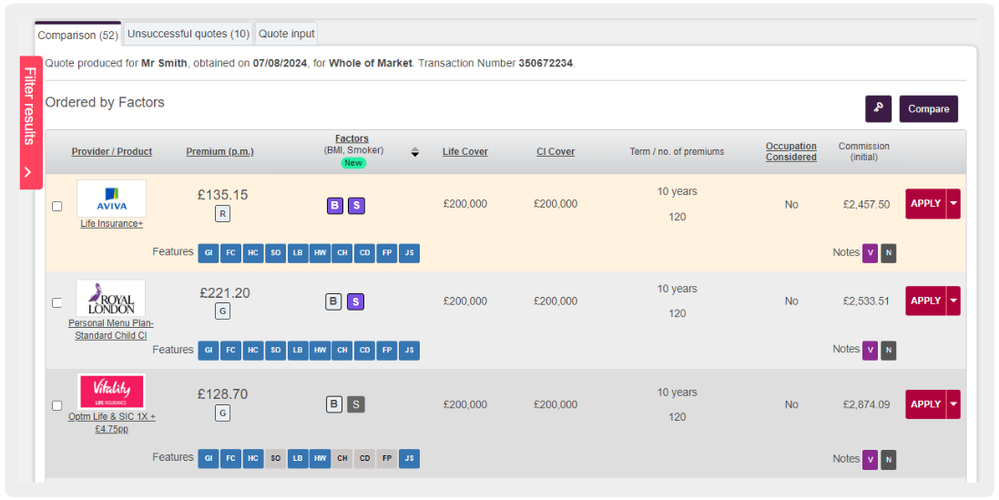
Single table - giving you greater flexibility to order the results
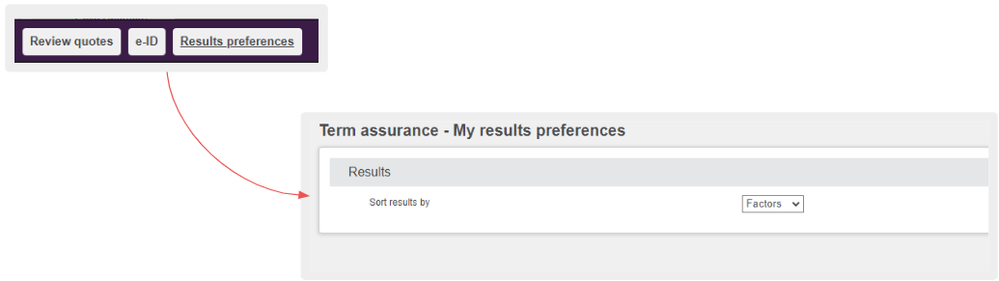
Save your default sort order (premium or factors)
Understanding factors
BMI has three statuses: -

The purple cube indicates that where BMI has been entered, the provider has taken that information into consideration as part of the returned quote.

The grey cube indicates that the provider has not considered the BMI information as part of the returned quote.

The dotted cube indicates that BMI was not entered (if BMI not entered it cannot be considered).
Smoker has two statuses: -

The purple cube indicates that the provider has taken all smoker information into consideration as part of the returned quote.

The grey cube indicates that the provider has considered yes / no information only. For providers who only consider the yes / no answer to the current smoker question, where you answer no to the question they will continue to respond as they do today (with non-smoker quotes), without considering the additional information entered. Please view the product smoker notes and provider illustration to confirm how they have responded.
Selecting the key icon on the results screen, will provide you with full details of what every icon on the results screen means (including info buttons with more details)

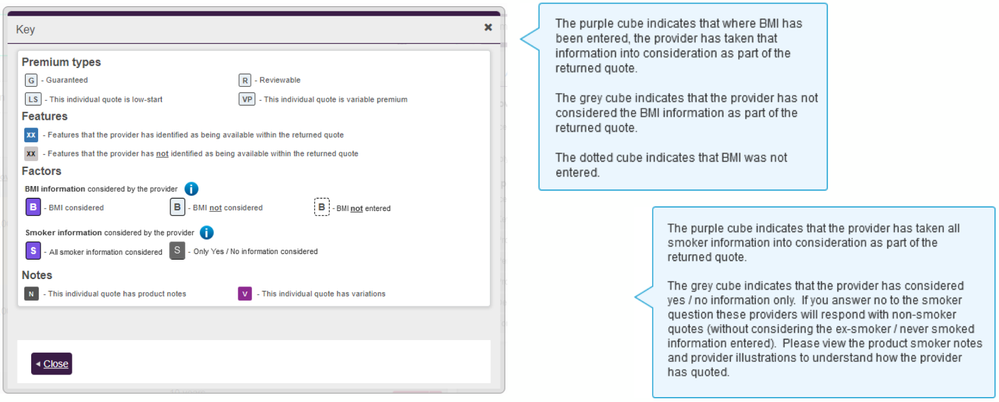
Key information - shows all icons and symbols from the results screen
Simplification of premium information displayed
Enhanced results filtering
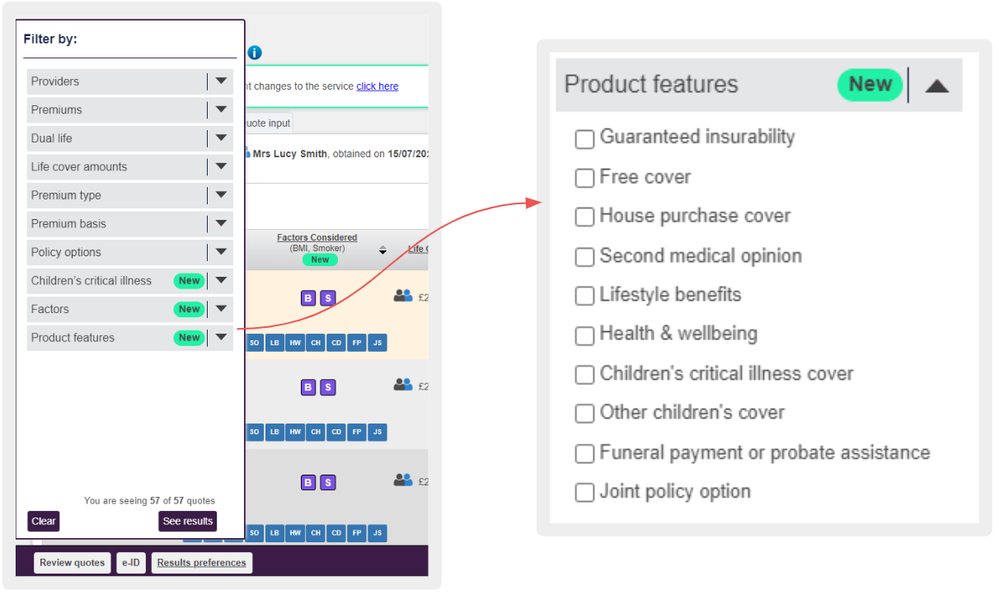
Greater results filtering capability
Print enhancements
We received feedback that there is a lot of wasted space on our prints (with the large header repeating on every page)
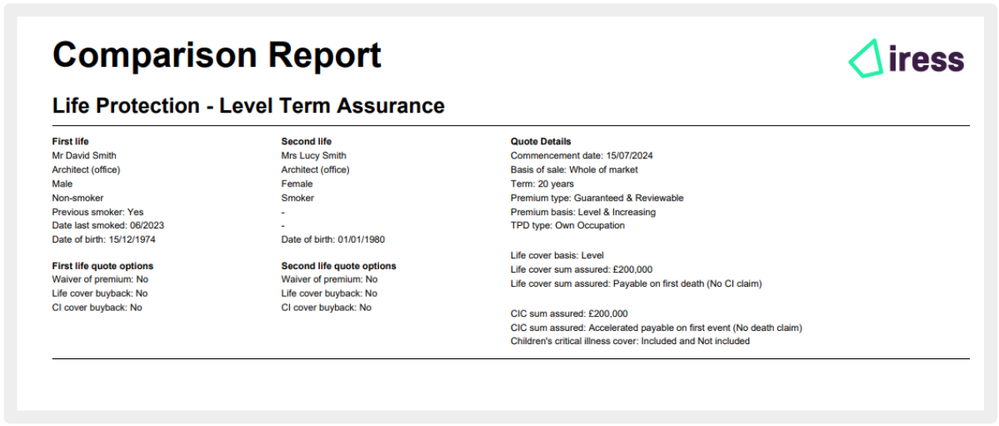
Standard header page on reports showing more quote input information (all in sections)
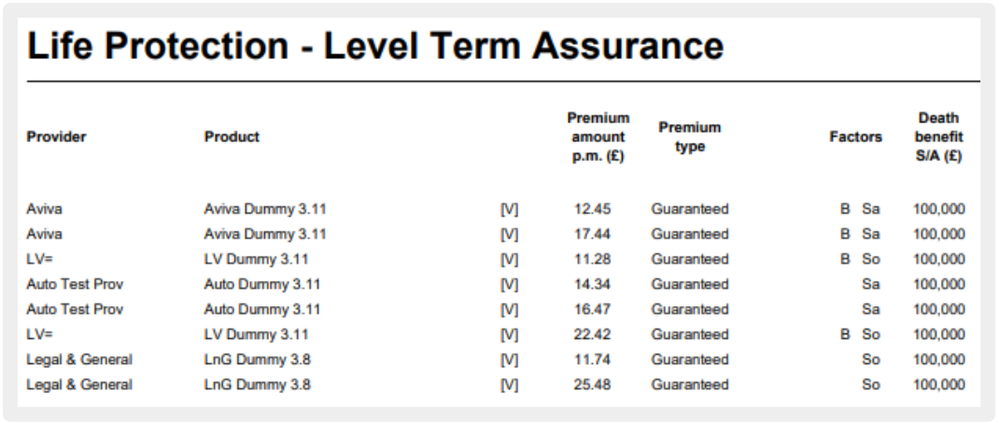
Comparison print - factors column
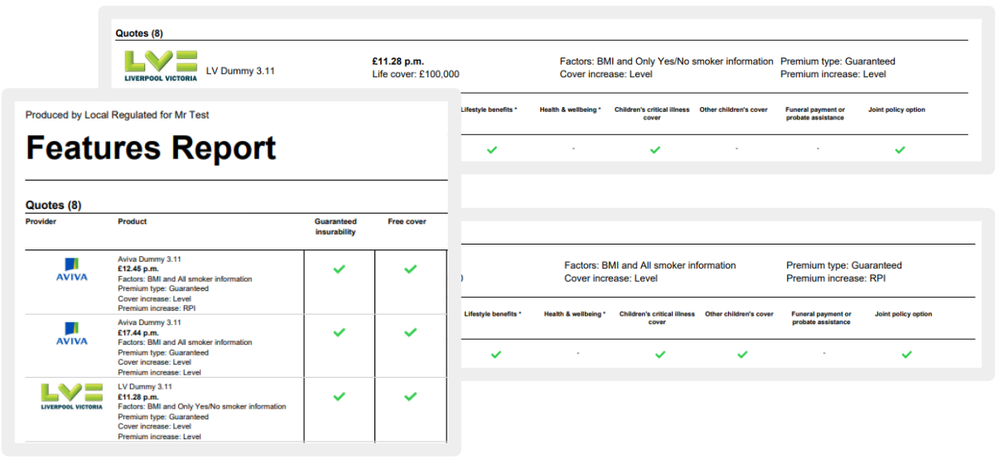
Feature prints - factor information
Find out more
Here to help you
Want to know how The Exchange makes finding and applying for the right products easy, helping you find the right solutions for your client's.
Join the conversation
Why not follow us on LinkedIn and find out how we're making it easier for advisers to research, quote and apply for clients' mortgage, protection, retirement, savings and investment needs.
https://www.linkedin.com/showcase/life-pensions-mortgages

