We understand that getting access to the right help and support is crucial for you and your business. This is why we’re improving how you connect with Iress.
Iress Connect is your new and easier way to directly access help and support from our dedicated team of Xplan experts to optimise your Xplan usage.
Making support simple
Sometimes, it’s hard to know where to even start when it comes to getting help. Who do I ask? Can they fix this? Will they get back to me?
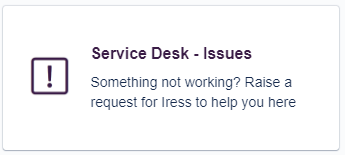
With Iress Connect, you’ll have a single point of contact with an online connection to a team of Xplan specialists, dedicated to providing you with a wider span of support and deeper knowledge into our software. This is all achieved by clicking on the Service Desk - Issues “tile” in the Iress Connect Portal and selecting an option that best sits with your query.
- I have an Xplan issue for errors and functionality questions
- I have an Xplan Datafeed issue for data inaccuracies and errors
- A password reset for managed sites
Streamlining licence requests
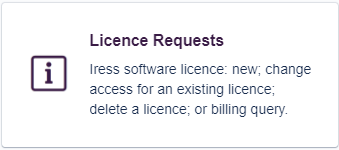
Connecting with the right team that can add remove and update your current licensing arrangement is simple by clicking on the “Licence Requests” tile. Additionally, you can also make a billing enquiry or check on your current pricing or pricing of new modules.
You now have clear visibility and tracking on your support requests and faster response times to your enquiries. You no longer have to worry about getting the right support when you need it.
Making it easier for you to connect with Iress teams
For IFA customers, our support for you doesn’t end here! We have also created a dedicated space for IFA customers in the tile “IFA Connect” .

Simply click on the IFA Connect tile and you will be able to connect directly with a set of Iress teams that can assist you with the following:
- Best practice and guidance in the Xplan application
- Sales enquiries linked to demonstrations and requests for trial licenses
- Account changes including updates to your company or personal details, requests for added modules or site restore requests
- Client Portal creation and updated to existing configuration
- New and updated API key requests
Encountering an Xmerge issue or wanting to request a new or updated template ?
We have launched the Xmerge Connect tile to allow you to raise and track requests directly with our Technical Services team.

Simply click on the tile and select the request that best suits your needs:
- Request a modification to an existing template or let us quote on a new template
- Ask the team a question about Xmerge syntax
- Let us know if your coded template is not working as expected or has yellow errors and we will investigate for you
Manage your Xplan data migration requests
The Data Migration tile is your point of contact to submit and track data migration and data extract requests.
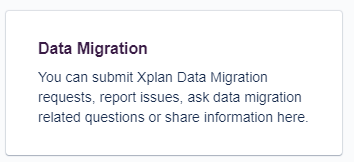
Managing our workflows via the portal enhances communication while ensuring all information regarding your request is centralised and visible to all stakeholders. Clicking on the Data Migration tile will allow you to submit the following requests:
- Xplan data migration or data extract requests
- Ask data migration related questions
- Report issues related to your recent data migration request
If you are on an Iress managed site (https://managed.xplan.iress.com.au, https://plannercentral.xplan.iress.com.au, https://iressdirectnz.xplan.iress.co.nz, https://iressdirect.xplan.iress.com.au) our dedicated team can assist you with a set of requests

Select the service that fits your request from the following:
- Updates to assumption sets: if your Risk Profiles or asset allocation change
- Portfolio product query: If you have a query about a Portfolio product
- Advice Toolkit Config Change: For updates to your Advice Toolkit templates
- Other: for anything else relating to the administration of the Xplan site
Have questions or need assistance?
We’d love to hear from you. Bookmark Iress Connect in your browser.
Contact us via Iress Connect today.
To reach out for an urgent issue or gain access to Iress Connect please phone the Help Desk Team on 1300 1300 69
Related Article:

