We're really pleased to bring you some new and updated features for August. Here's a snippet of whats changed:
Content Mentions
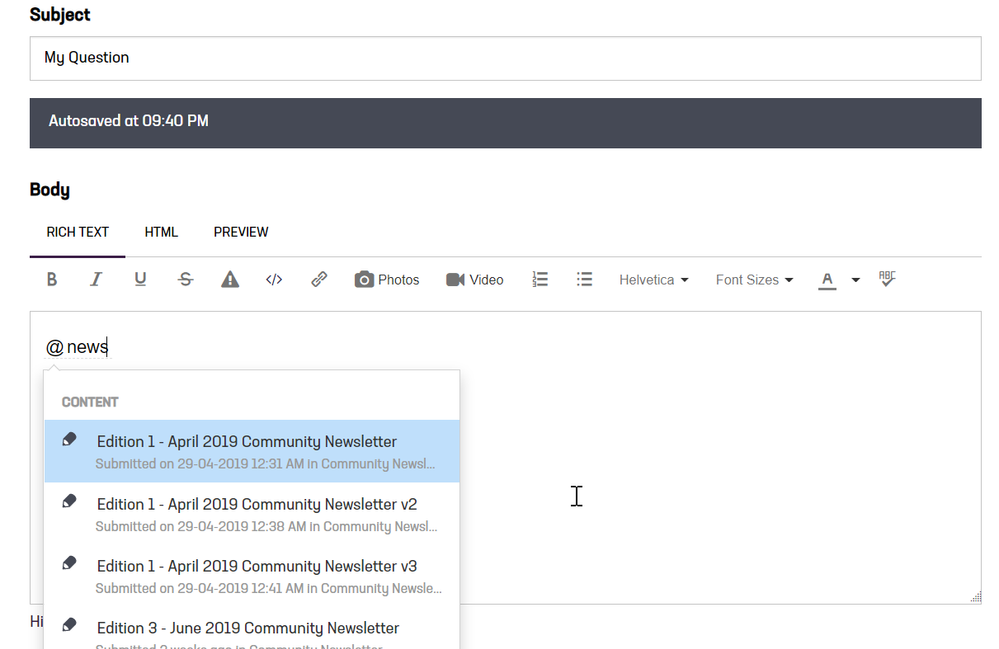
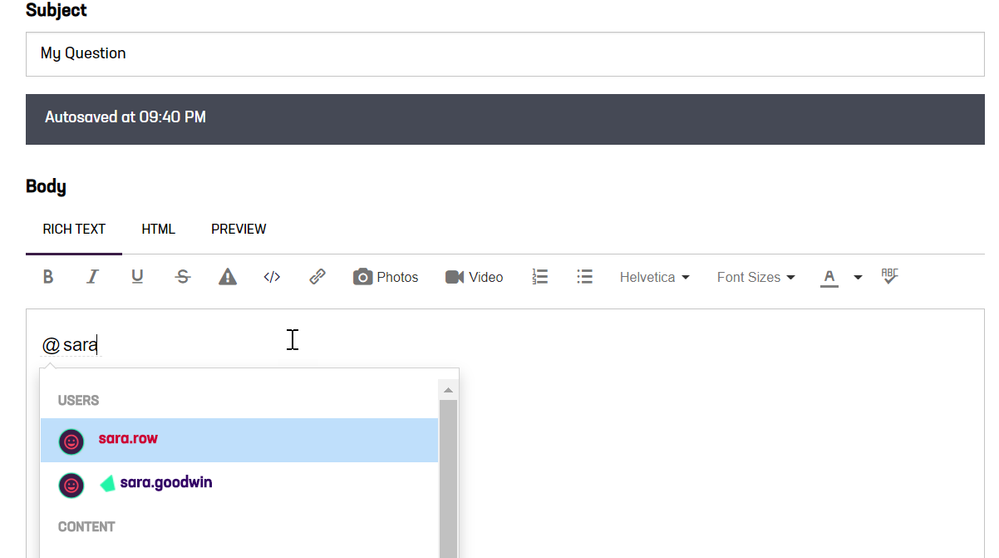
Did you know that you can mention other users in the Community by typing @ and searching for their username? With this upgrade, we have now extended that functionality to content. What this means is that if you want to reference another Community article in your post, you can type @ and search for both users or content
New Notification Settings
There are now more features to allow you to control how you are notified of updates in the Community through your Notification Settings for email, pop ups and mobile. To manage your settings go to your profile page.
Performance Enhancements
Our Community providers have enhanced the performance on both the pages you access and search results, so pages will load faster
Muting notifications on a particular thread
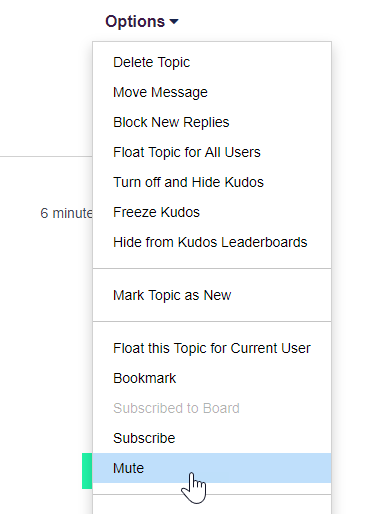
Have you subscribed to a particular section of the Community but you'd like to opt out of notifications for a particularly long conversation on that board? If so, you can now 'mute' a conversation and no notifications will be sent for that thread. For example, you might be subscribed to Release Notes however another Community member has commented on a release notes sparking a conversation where you are receiving emails for every reply. If the conversation is not of interest to you, you can mute that conversation now from the post in the Community! Go to the conversation, select Options and Mute! Note that Mute will only appear on conversations where you have subscribed to the overall category or page.
Subscribing to a Category
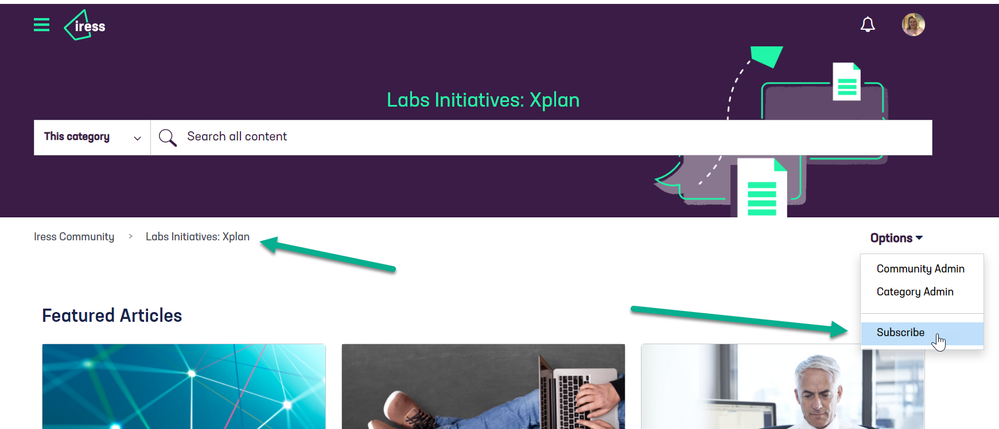
Up to now, you've been able to subscribe to an article or a board (page of the Community). From this update, you'll also be able to subscribe to a category. A category is a section of the Community that holds multiple pages, e.g. Labs: Initiatives holds the all Labs initiatives such as Navigation, Opportunities and more. Subscribing to a category is a way of subscribing to all of the underlying boards in one go. When you are in an article or on a page, you can navigate back up to a category level by clicking on the navigation links.