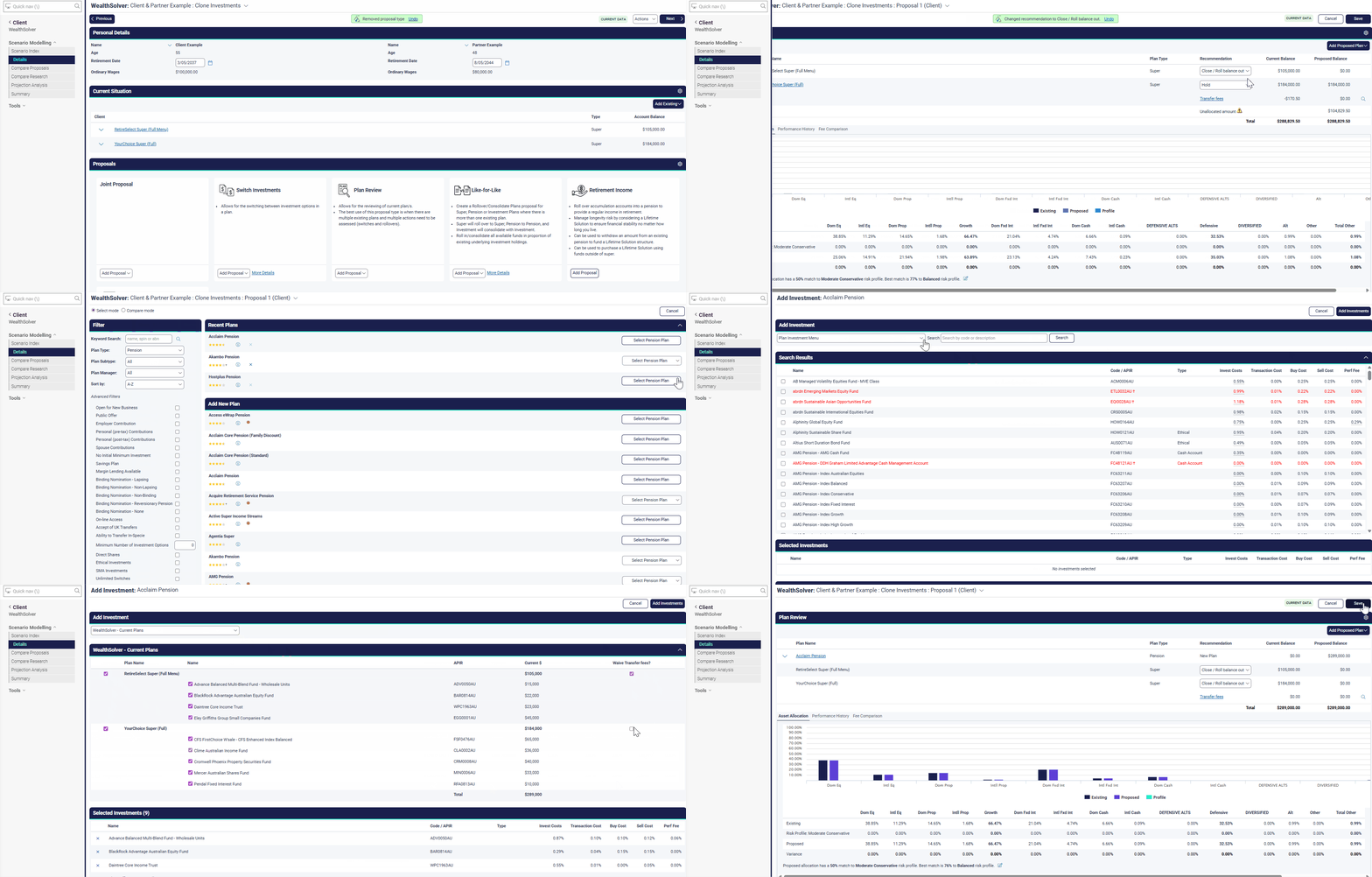
Did you know an upcoming Wealth Solver enhancement will allow you to easily clone a client's asset mix when transitioning between plans or creating proposals?
Why?
Moving a client's superannuation to a pension plan (an "in-specie" transfer) while keeping the same investment mix can be a manual and time-consuming process.
Advisers often need to create three to four proposals per scenario for compliance. This new feature streamlines the creation of like-for-like proposals across different platforms (e.g., comparing a client’s current Uni Super mix to CFS Edge Pension).
How?
Scheduled for the Xplan release on February 19, this enhancement will introduce new options when adding an investment in a proposed plan:
Clone Existing Holdings: When moving from a super to a pension account within the same administration wrapper (e.g., Uni Super accumulation to Uni Super pension), you can now select "Wealth Solver current plans" from the "Add investment" menu. This automatically transfers the existing asset mix to the new pension plan, which is essentially an "in-specie" transfer that should not attract buy/sell costs. Users can also flag to waive transfer fees.
Clone Previous Proposals: If you're building a new proposal and want to duplicate the asset mix from an existing strategy (Proposal 1, Proposal 2, etc.), you can select "Wealth Solver current proposals" from the "Add investment" menu. This lets you quickly compare the exact same asset allocation across different proposed plans.
💡 Pro Tip
The cloning functionality is designed to maximise flexibility. Wealth Solver will not apply restrictions by checking if the cloned assets are available on the new plan's menu. It is up to the user to know what they are doing and ensure the asset mix is appropriate for the proposed plan.